
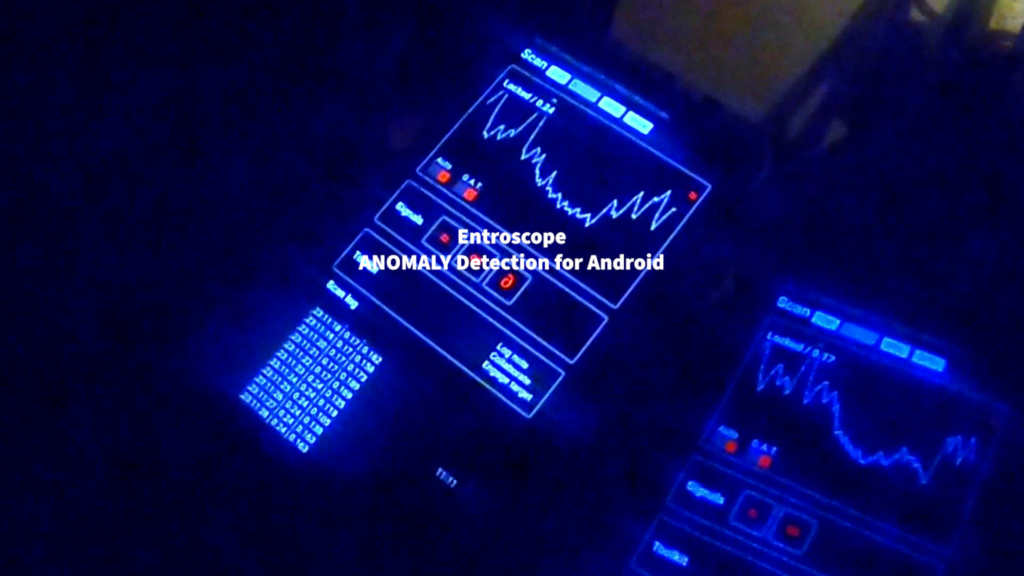
Android ApplicationS
EntroScope
Using algorithmic processes to locate and explore electromagnetic signals, our first mobile application detects anomalies in the area around you. It supports consistent analysis across a wide range of devices. It’s a must-have for any ghost hunt, demon detection, or alien contact situation.
Get the official app in the Google Play Store
Smartphones today are more than communication devices; they are compact sensor arrays capable of measuring light, sound, magnetic fields, and even subtle variations in wireless signals. Building on this foundation, EntroScope by Weird Howard applies advanced principles of multi-frequency recording and analysis to detect anomalies in electromagnetic environments.
The application, formally described as a Multi Frequency Recording and Analysis Mobile Display Application (M-FRAM-DA), is inspired by modern research that uses Wi-Fi signals to detect movement and objects through walls, and smartphone-based spectrophotometers that repurpose phone cameras into scientific instruments. By combining these insights, EntroScope transforms an ordinary phone into a structural noise analyzer capable of probing the unseen energies that surround us.
As Nikola Tesla once said, “If you want to find the secrets of the universe, think in terms of energy, frequency, and vibration.” EntroScope seeks to do exactly that, capturing hidden patterns in frequency and vibration using the sensors embedded in every modern Android phone.
The Principles
Phones are compact sensor arrays. EntroScope turns this everyday hardware into a structural noise analyzer that highlights phase variances and other signatures in the electromagnetic environment.
- Turns ambient wireless activity into actionable signal features
- Visualizes irregularities as time-aligned hits across multiple devices
- Reduces false positives through multi-phone corroboration
- Designed for architecture, urban studies, parascience, and ghost hunts
EntroScope is the Multi Frequency Recording and Analysis Mobile Display Application, also called M-FRAM-DA. It reads anomalies in signal strength through antenna inputs and magnetic sensors found in newer phones. Data is processed on-device to calculate phase variances for Structural Noise Analysis.
How It Works
EntroScope leverages antennas, magnetometers, and signal processing units already onboard your Android device. It samples multiple frequency bands, measures phase and amplitude behavior, then compares those readings to a rolling background model to highlight out-of-family events.
Structural Noise Analysis
During operation, the app continually estimates baseline fields and watches for phase variances and transient patterns that indicate interference, structural discontinuities, or other anomalies. This concept aligns with research that uses Wi-Fi signal perturbations as an imaging proxy.
Multi-device corroboration
Use at least three phones for best results. If two devices display the same hit within about three seconds, they are likely detecting the same source. Adjust gain up or down until readouts converge across devices.
On-device processing
Processing happens locally to reduce latency. Start the app first, allow it to analyze and normalize for about 90 seconds while walking the space, then you can enable Airplane Mode for detection-only sessions if desired.
Instructions for Use
Before you begin
- Ensure you have permission to investigate anomalous signals at the site
- Activate EntroScope before turning on other equipment to minimize cross interference
- Phones can emit EM fields. Start EntroScope first, then other devices
Calibration and operation
- Allow about 90 seconds for background analysis and normalization
- Walk the space during normalization to provide a dynamic baseline
- Optionally enable Airplane Mode after calibration for detection only. Calls will not be received while in Airplane Mode
Warning
- Due to differences in device processing power, displays may update at different times
- If two devices disagree, adjust gain until numbers align with the phone that shares the most agreements
Use Cases
Built environment
Survey structural spaces using ambient wireless fields. Note reflections, shadowing, and localized hotspots that may correspond to material or layout changes.
Field research
Explore interference patterns in urban or rural environments. Pair with independent logging and GPS for later mapping and analysis.
Ghost hunts
Teams have used EntroScope during ghost hunts to capture synchronized anomalies that align with investigator observations. Multi-phone corroboration helps reduce false positives and adds time-aligned context to events.
Science Behind the Approach
EntroScope stands on three pillars: ubiquitous smartphone sensors, repurposed measurement workflows, and research that treats wireless fields as probes for changes in space.
- Embedded sensors: Modern smartphones include magnetometers, accelerometers, gyroscopes, microphones, cameras, and radio front ends. EntroScope taps these capabilities where available to contextualize readings.
- Repurposed optics: Prior work shows that phone cameras can be used as basic scientific instruments such as absorption spectrophotometers with simple attachments. EntroScope follows the same philosophy of repurposing commodity hardware for measurement.
- Wireless as a sensor: Systems have demonstrated how Wi-Fi signal perturbations can reveal presence and movement. EntroScope adapts similar ideas for portable anomaly detection.
Frequently Asked Questions
Does EntroScope see through walls?
No. EntroScope does not image scenes. It surfaces anomalies in signals measured by the device. Interpreting why an anomaly appears requires investigator judgment and corroboration from multiple phones or instruments.
Can I run other gear at the same time?
Yes, but start EntroScope first. Other equipment may react to phone emissions. If you want a detection-only session, enable Airplane Mode after the 90-second normalization phase.